See Window Dim in action
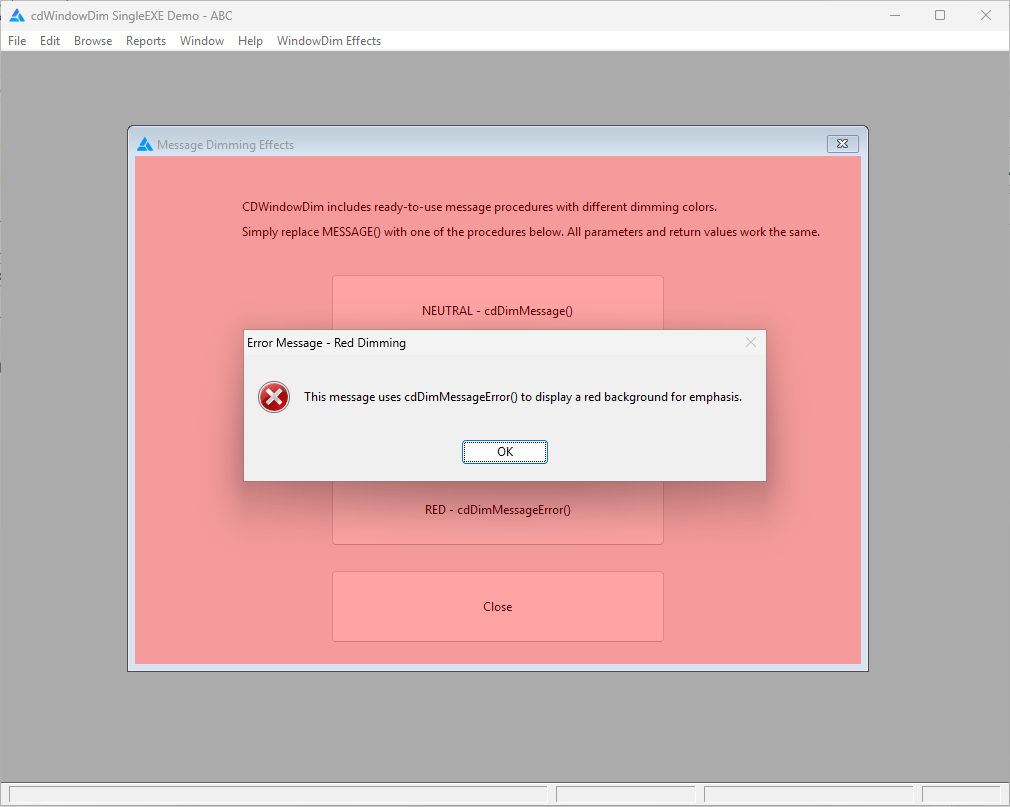
Make the active task stand out
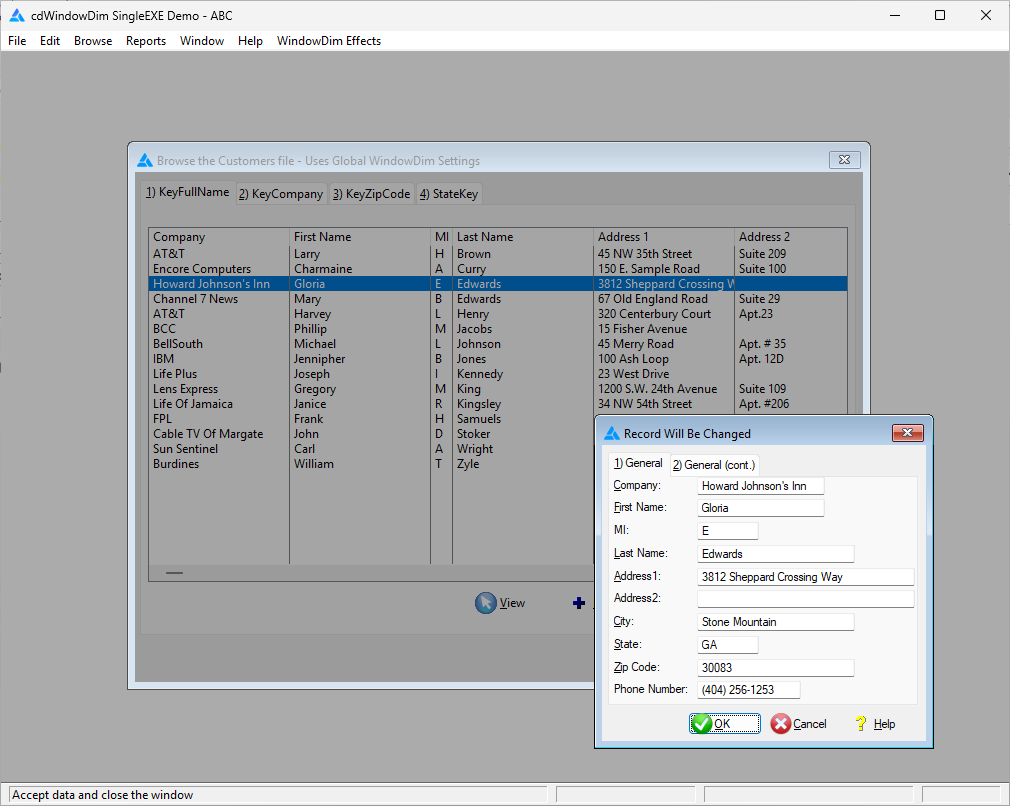
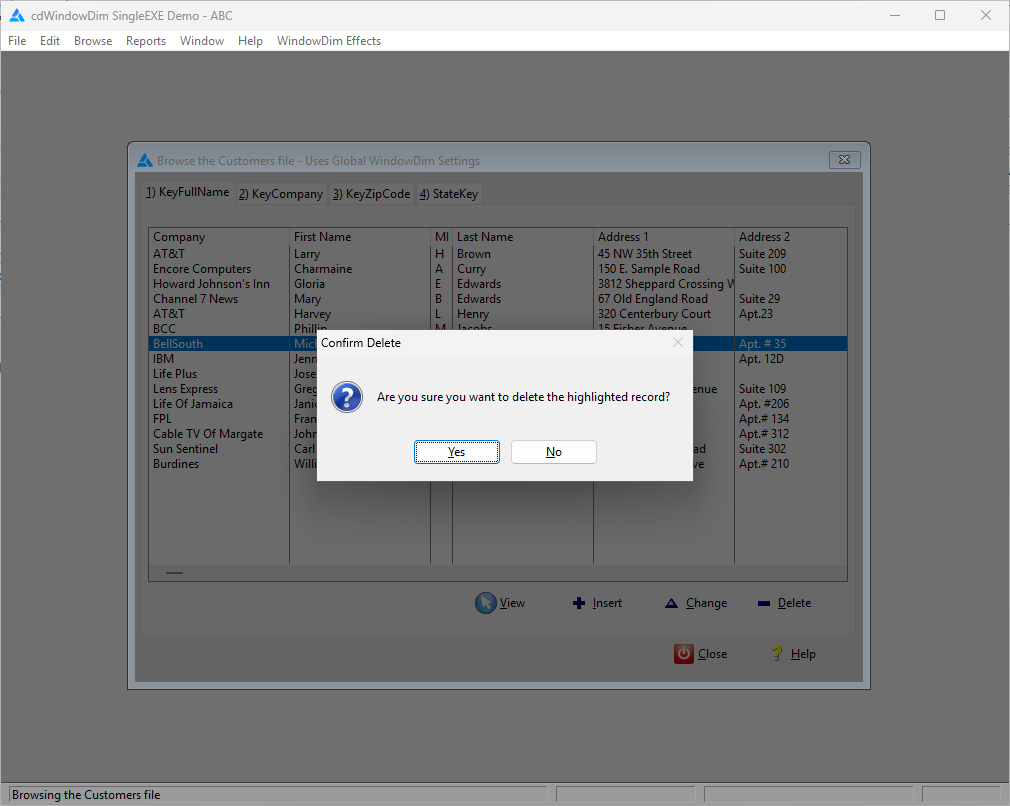
Window Dim draws attention to the window that matters. When an update form, related child window, or message dialog is active, it dims the parent window, then restores the background when the task is finished. The active window remains clear and easy to read.
Easy automatic integration
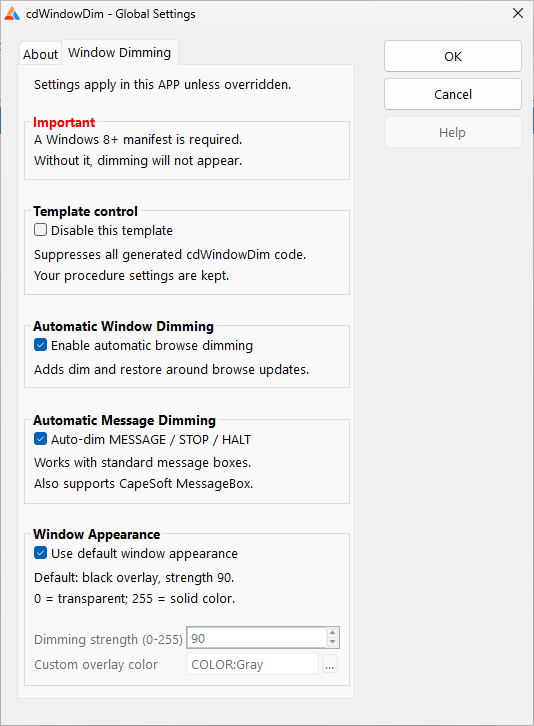
Add the global extension template to your Clarion application and enable automatic dimming. For supported ABC and Legacy browse/update workflows, you don't need to add another template to every window. Set the default appearance globally and customize individual procedures where needed.
Developers can also offer users a runtime setting to turn the effect on or off.
Works with your existing messages
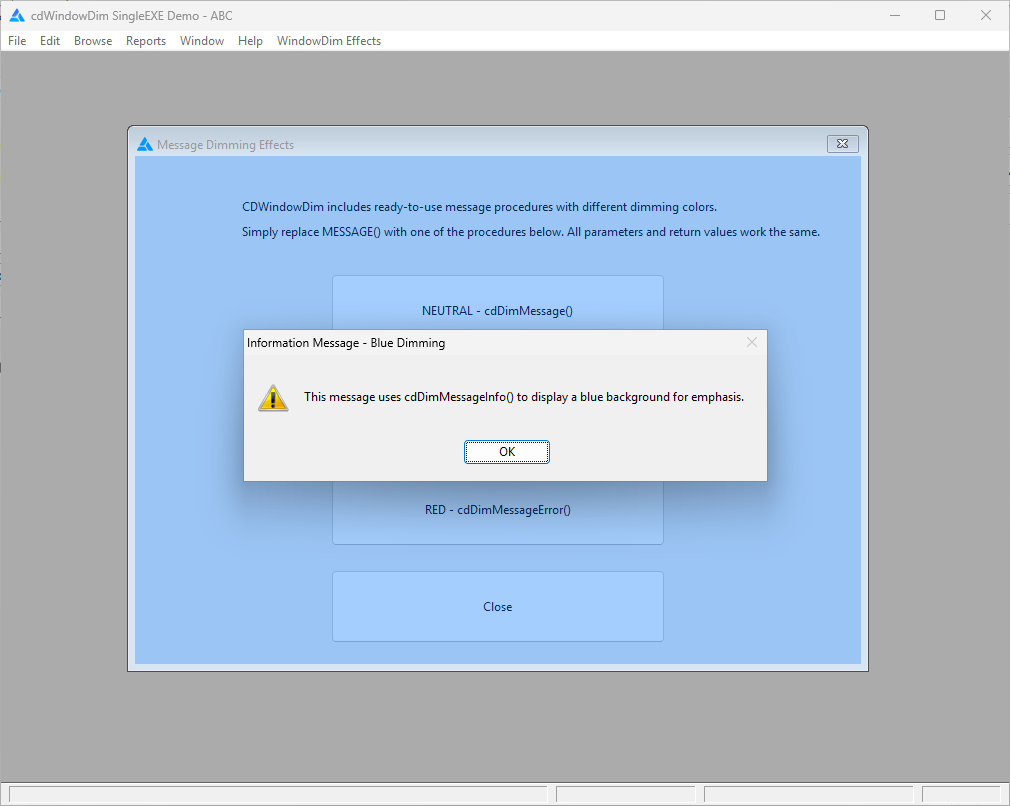
Window Dim also supports standard Clarion MESSAGE(), STOP(), and HALT() dialogs and recognized third-party messaging systems, including CapeSoft MessageBox. It works alongside those tools; it doesn't replace them.
Using another message handler or one you've written yourself? Add the small registration extension to its window and Window Dim handles the dimming automatically, without manual dim/restore calls around each message. Ready-to-import message windows are available as another option.
More ways to use it
The same effect can be applied manually to other ordinary and STARTed child windows, including scenarios beyond browse/update automation. You can adjust the overlay color and strength, and the implementation accounts for multiple related open windows. Both single-EXE and multi-DLL application arrangements are supported.
One feature, two product paths
Window Dim was developed as an enhancement to vuFileTools 5. We also made it available independently as cdWindowDim for developers who don't need the rest of the library.
See the choices below to find the path that fits your existing licenses and development needs. The standalone version is the first release in our new Code Drops family.